How I designed this blog without designing it
I’m an engineer, not a designer. I can build almost anything that runs, but making it look good has never been my strong suit. So I didn’t design this blog. I wrote down what I wanted, gave it to a couple of AI design tools, and let my coding agent build whatever they came back with.
I was picky about the spec. Clean and lean, closer to Hacker News than a heavy CMS. A terminal look with a modern touch. Persistent dark and light. Static and fast, with as little JavaScript as I could get away with. Comfortable to read on a phone. Optional audio on a post. Room for my own articles and for link posts. Decent SEO.
I didn’t ask either tool to push pixels around. I asked each one to write a prompt my coding agent could run with, and both went a step further and built the Astro layout and templates themselves. So what I got back wasn’t a picture. It was code I could run.
Open Design first
I started with Open Design. It’s open source, local first, and bring your own key, so it drives whatever coding agent you already have. Setup was painless, which I appreciated.
My Claude usage was in its five hour cooldown and I didn’t feel like waiting around, so I pointed Open Design at Ollama instead.
What came back was fine, just plain. It looked a lot like something I’d have thrown together myself, which is sort of the point of not doing it myself. It didn’t reach for any modern references, and it gave me a single direction rather than a few to weigh up. In fairness, I didn’t push it. I had a look and moved on.
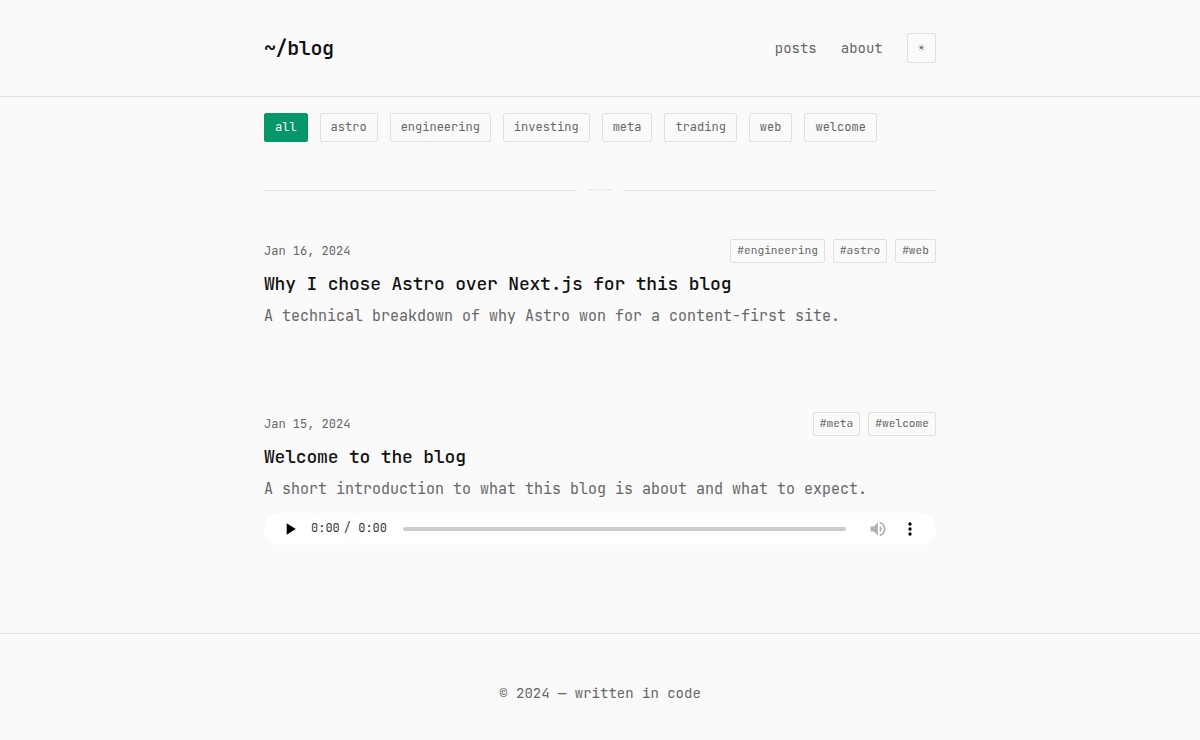 Open Design’s take. It works. It’s also about what I’d have managed on my own.
Then Claude Design
Claude Design came back with three directions, and it clearly got what I was after from very little input. The one I picked barely needed touching.
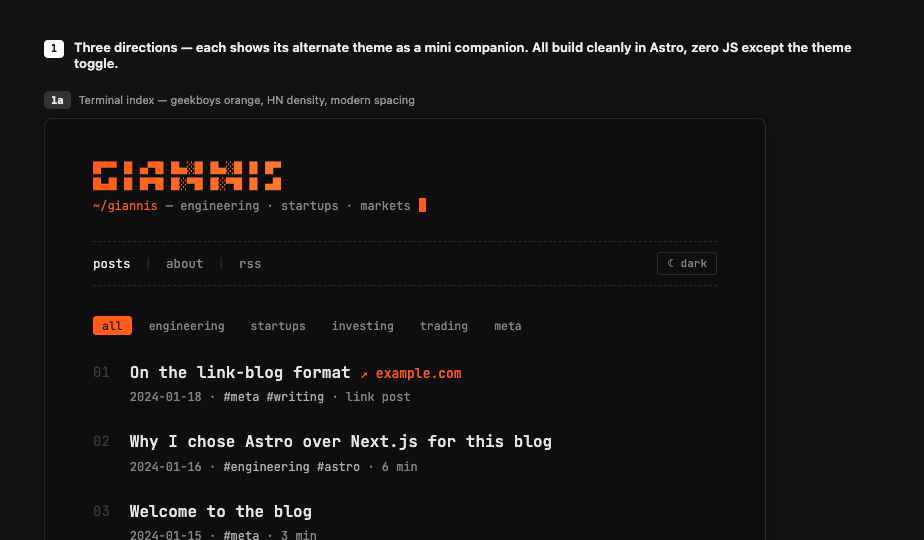 The one I shipped. This is the site you’re reading now.
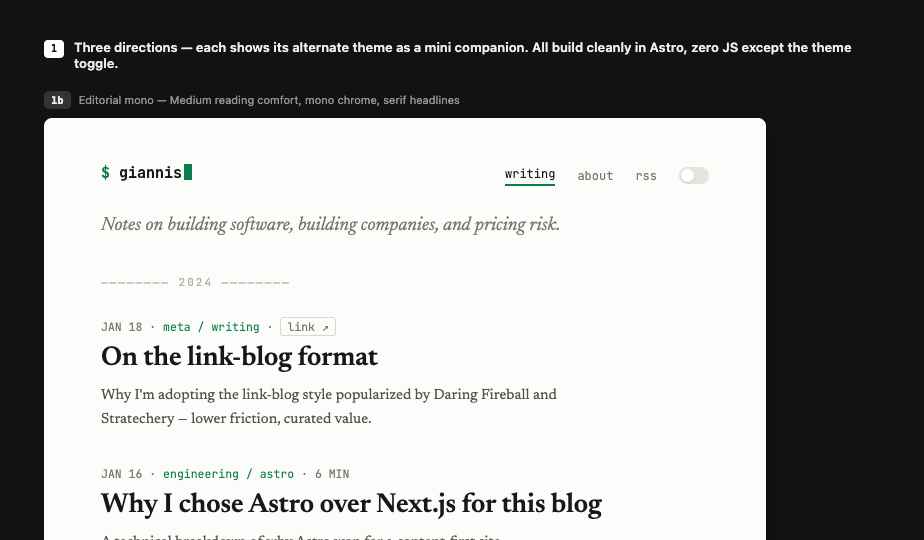 Editorial mono.
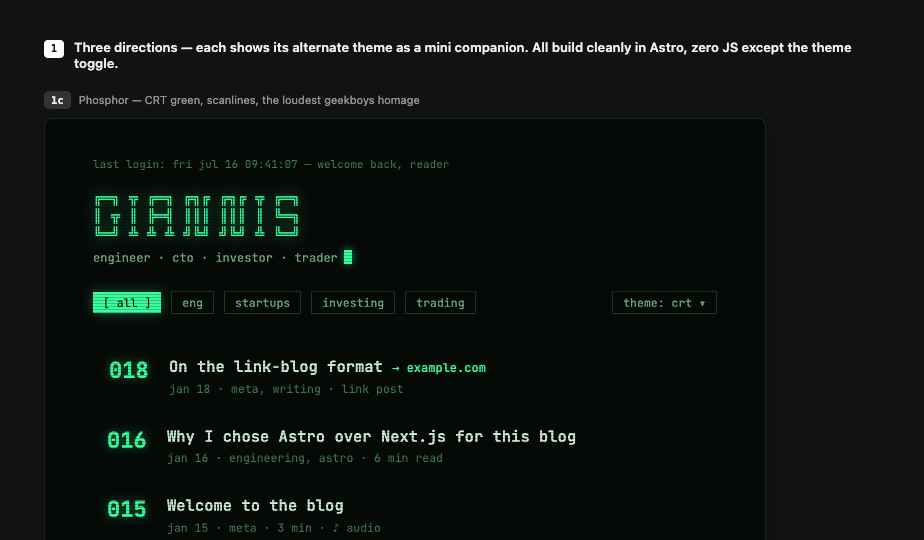 Phosphor CRT, the loudest of the three.
The part that got me was a small one. It added an accent color switcher, the same little touch the old geekboys site had back in the day. All I’d handed it was a screenshot. Maybe it inferred the connection, maybe it was luck, but it landed. The gap between the two runs was wide, and I’ll say plainly that I gave Open Design the lighter effort.
What I ended up with
Astro, a terminal theme, persistent dark and light, and almost no JavaScript beyond one small theme script. Static, fast, responsive, decent SEO, with RSS, optional audio, and link posts. It’s the page you’re reading right now.
Bottom line
Both tools can get you a real site. What you end up with depends on the tool, what you’re after, and how you run it.
If you’re already in the Claude ecosystem, use Claude Design. If you’re not, Open Design is a genuine alternative. You’ll just want to budget some back and forth to get it where you want. It installs in minutes, so it’s cheap to find out for yourself.